Account Deletion Guide
Follow the steps below to delete your Waje Special account from inside
the app. Please review the prompts carefully before confirming.
Delete Account Online
Video Guide
Step-by-Step Guide
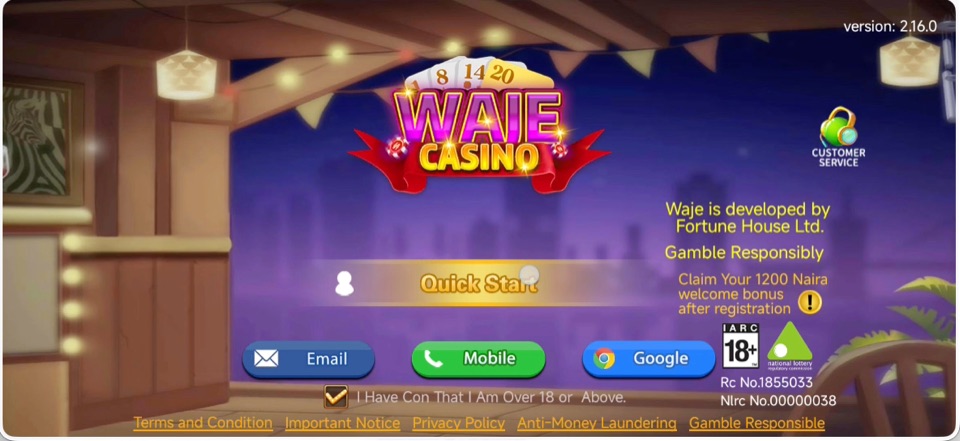
Step 1: Log in to your account
Open Waje Special and sign in to the account you want to delete.
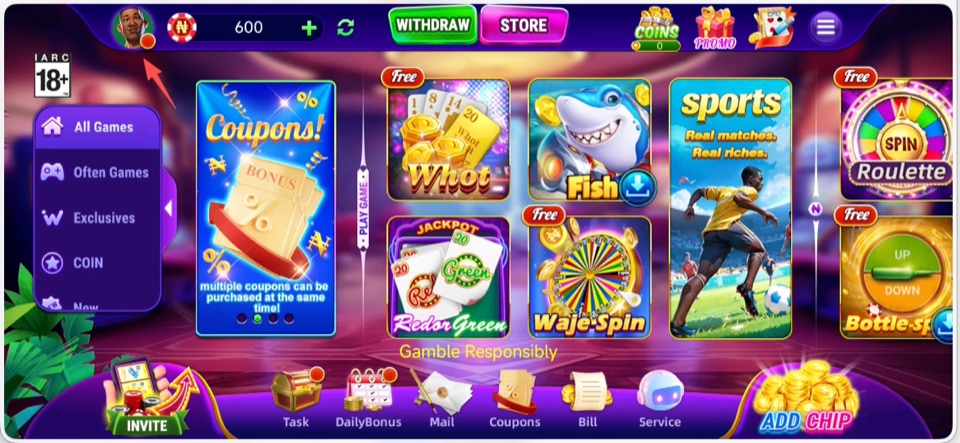
Step 2: Open your profile
On the main game screen, tap your avatar in the upper-left corner.
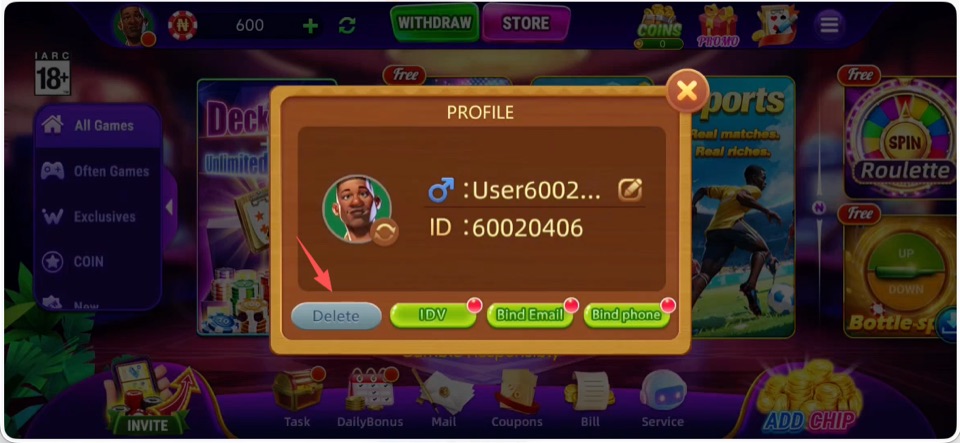
Step 3: Tap Delete
In the profile pop-up, tap the Delete button at the bottom-left.
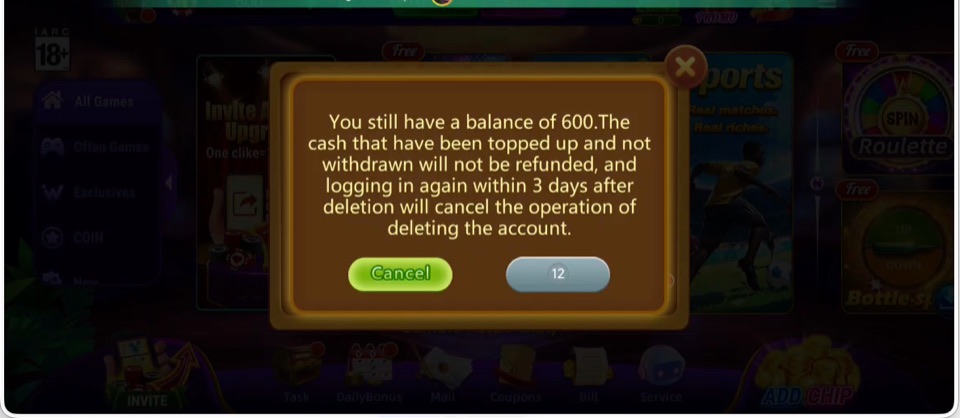
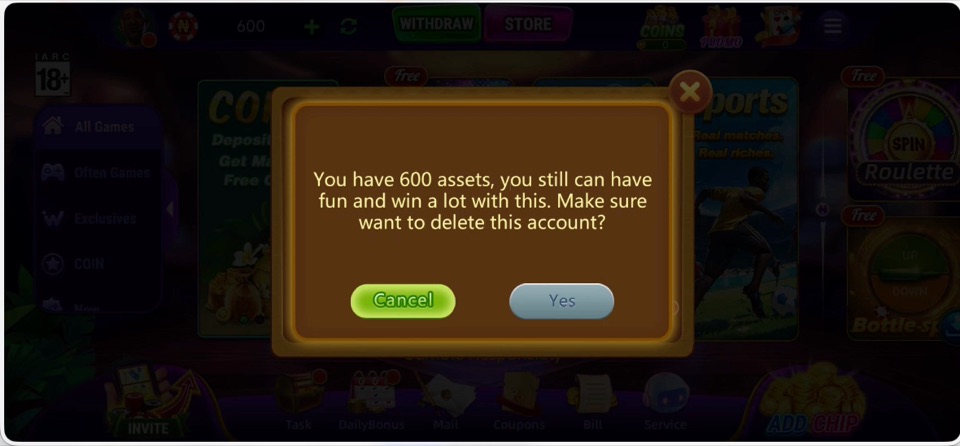
Step 4: Read the balance notice
If your account has a balance, read the notice carefully and wait
for the confirmation button to become available.
Step 5: Confirm account deletion
Tap Yes to confirm. Logging in again within 3 days after deletion
may cancel the account deletion request.
Once you submit the request, do not log in again within the cancellation
period if you want the deletion to continue. If you need help, please
contact customer support from the app or email customer@wajegame.com.